Build your first Claude Code skill
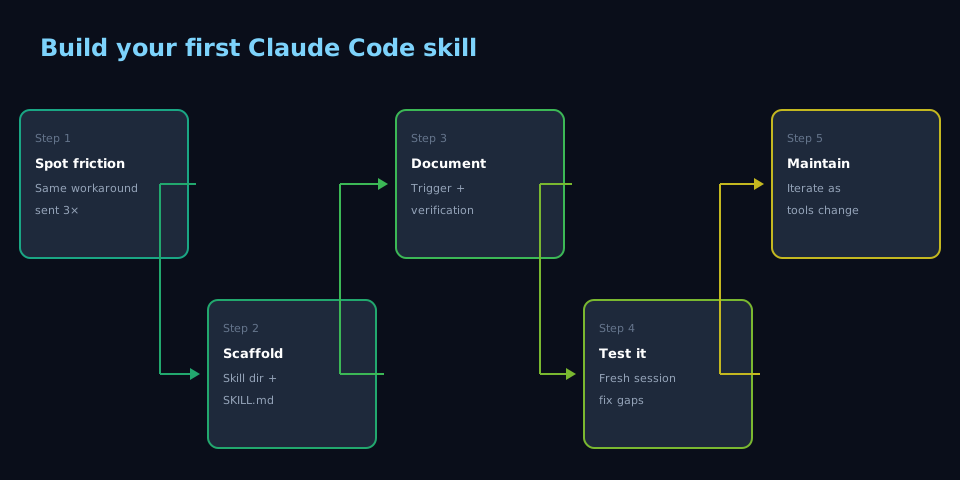
I stopped halfway through the same six-line API preamble—headers, retry behavior, the field that looks like a boolean but isn’t. I’d shipped it mentally three times that week. The fourth time I created ~/.claude/skills/query-foo/SKILL.md instead. Next session, mentioning the endpoint pulled in the procedure, the two ways the call fails, and the row-count check—the preamble dropped away and I skipped re-debugging Thursday’s mistake.
When I reach for this #
I’ve explained the same procedure, workaround, or constraint to Claude more than twice. Or I’m about to hand off a task and I know the receiver will hit the same wall I did.
What I need before starting #
- A Claude Code installation with a project or user skills directory (
~/.claude/skills/or.claude/skills/in the project) - The procedure you want to encode — commands, endpoints, config, failure modes
- Five minutes
What I do #
1. Create the skill directory and file #
mkdir -p ~/.claude/skills/my-skill
touch ~/.claude/skills/my-skill/SKILL.md
The skill name is the directory name. Claude discovers skills by scanning for SKILL.md files.
2. Write the SKILL.md #
Every skill needs four things:
# My Skill Name

One-line description of what this skill does and when to use it.

## Trigger

When to load this skill. Be specific — "when the user asks about X"
or "when working with files matching Y". Vague triggers cause
false activations.

## Procedure

The actual steps. Include:
- Exact commands to run
- API endpoints and required headers
- Config values (never secrets — reference env vars instead)
- The order things must happen in

## Failure Modes

What goes wrong if you skip steps or make common mistakes:
- "If you forget the --format flag, the output silently defaults
  to CSV instead of JSON and downstream parsing breaks"
- "Connection refused means the service isn't running — start it
  with `just open` first"

## Verification

How to confirm the skill worked:
- Expected output format or row count
- A smoke test command
- What "success" looks like vs. what "silently wrong" looks like
3. Test it #
Start a new Claude Code session and mention the trigger condition. Claude should load the skill automatically. If it doesn’t, check:
- The file is named exactly
SKILL.md(case-sensitive) - The directory is under
~/.claude/skills/or.claude/skills/ - The trigger description is specific enough to match your input
4. Iterate #
The first version is never complete. After using the skill twice, you’ll discover a missing failure mode or an ambiguous step. Update the SKILL.md — that’s the whole point. The skill improves every time you use it.
What goes wrong #
- Trigger too broad — the skill loads when you don’t want it. Fix: narrow the trigger to a specific tool, file pattern, or keyword
- Stale procedures — the underlying tool changes but the skill doesn’t. The skill now gives wrong instructions with high confidence. Fix: treat skill maintenance as ops, not a one-time task
- Missing failure modes — the skill tells you what to do but not what breaks. The first session that hits the undocumented edge case loses all the time the skill was supposed to save. Fix: add failure modes as you discover them
Notes #
Composition — skills compose with other skills. A database query skill can reference a publishing skill when the output needs a URL. Cross-reference by name—e.g. pair with whatever skill wraps your report host (Quarto → Connect, static → S3, etc.) when the output ships as a report.
Scaffolding — for /skill-creator, which lays out this structure automatically, run /skill-creator in any Claude Code session.