Hooks that run themselves
I merged a whitespace-only diff and watched CI red-line on Prettier. Ten minutes to fix, longer explaining in standup why I was the lint gate. That afternoon I added a hook: after each .ts edit, prettier --write runs on the touched paths before the patch settles. Muscle memory became infrastructure.
When I reach for this #
I keep forgetting a check that should happen every time. Or I want the same context block injected at session start so I never open cold. Or I need a guardrail right before a commit or a risky tool call.
What I need before starting #
- A
.claude/settings.json(project-level) or user-level Claude Code settings that support hooks - The exact shell command you want to run (test it in a normal terminal first)
- A clear event to attach it to — session start, before/after a specific tool, after edits, etc.
What I do #
Hooks are shell commands tied to session events—tool runs, file changes, session start—so the linter (or whatever check) fires without me typing “run it” in chat every time.
1. Pick the event #
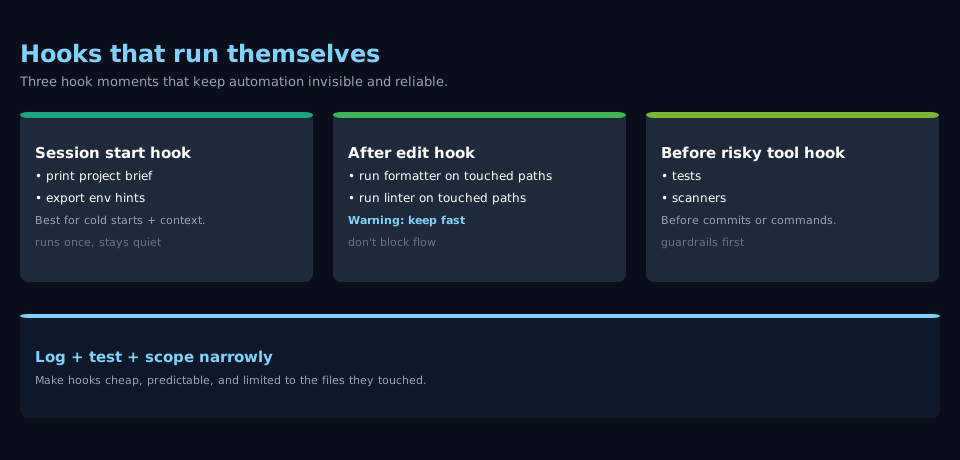
Match the hook to the failure you actually had. Session start loads context: print a short project brief, cat a CONTEXT.md, or export env hints. Before a write/commit-style action runs validation: tests, typecheck, secret scanners. After file edits run formatters or linters on the touched paths.
2. Add the hook in settings #
Put a hooks block in the project’s .claude/settings.json (or the user-level settings file your install reads—check the Claude Code docs for your version). Each entry names the event, the matcher (if the hook supports scoping to file types or tools), and the command array — same shape as you’d use in a script.
Keep commands fast. A hook that blocks the agent for thirty seconds trains you to disable hooks. A hook that fails with a vague exit code wastes a whole turn debugging “what happened.”
3. Log and test #
Run a tiny session that triggers the hook on purpose. Confirm stdout/stderr show up where you expect. If the hook mutates files, verify the agent sees the updated tree before the next step.
4. Tighten scope #
Broad matchers cause surprise runs. Prefer file extensions, directories, or specific tool names over “run on everything.”
What goes wrong #
- Silent failures — the command exits non-zero but the message is useless. You lose trust and turn hooks off. Fix: make scripts print one line that says what failed and how to repair it.
- Hooks fight the agent — formatter and agent both touch the same file in one turn. Fix: narrow when the hook runs, or use tools that agree on a single style source of truth.
- Secrets in command lines — passing tokens inline ends up in logs. Fix: read from env vars already set outside the hook definition; never paste secrets into JSON.
- Stale paths — the hook assumes a working directory that differs from Claude’s shell cwd. Fix: use absolute paths or
cdexplicitly in the hook script.
Notes #
Skills + hooks — the skill documents what to do; the hook makes sure part of it runs even when nobody asks. When behavior changes, I update both—a hook that enforces a retired command is as hazardous as a stale skill.
Docs — I match hook event names and schema to the Claude Code version I’m on and copy from current examples rather than stale blog posts.